 foxxcyber/docs
Receipts and year-end statements
Issue numbered donor acknowledgments, email or download them, re-issue or void one, run year-end statements, and set the receipt wording.
Foxx HQ writes donor acknowledgments that contain what the IRS asks a charity to give its donors. Each receipt is numbered (R-000001, R-000002, … without gaps), kept exactly as issued, and can be emailed with its PDF.
Not tax advice
Whether a gift is deductible, and how much, depends on the donor. Ask a tax professional about your organization's situation.
Before you start
- You hold the Giving admin grant or are a company administrator. Giving entry holders can't issue or see receipts.
- Fill in Giving → Settings (below) so receipts carry your legal name, EIN, address and signer.
- To email receipts, set up your organization's email under Administration → Email. See Administration. Without it, receipts are still issued and you download the PDF and mail it.
Set the receipt wording
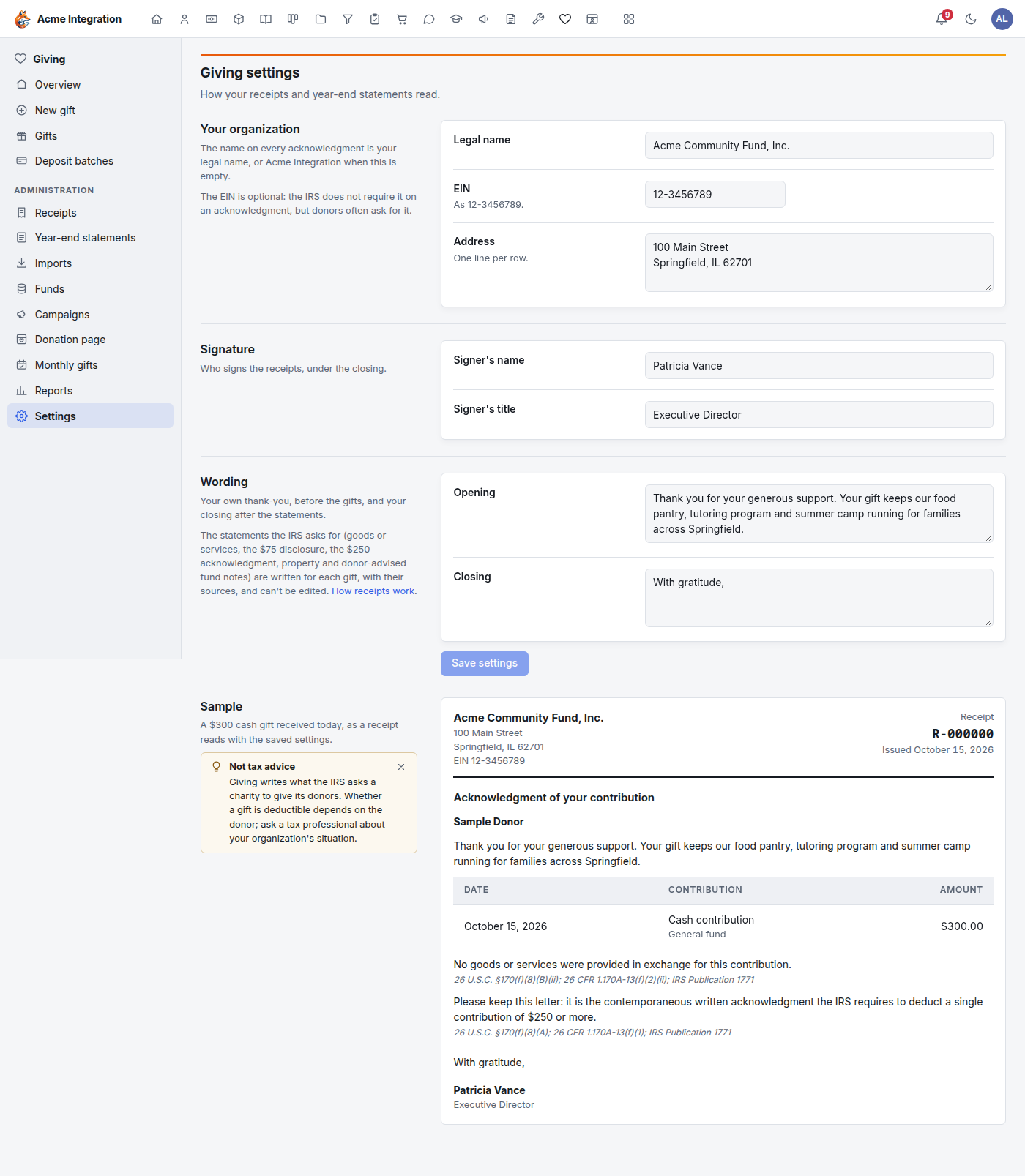
Open Giving → Settings:
- Your organization: Legal name (else your display name), EIN (optional; the IRS doesn't require it on an acknowledgment, but donors often ask for it) and Address;
- Signature: Signer's name and Signer's title;
- Wording: your own Opening (before the gifts) and Closing (after the statements).
Click Save settings. The Sample beside the settings shows a $300 cash gift as a receipt reads with them.
Issue a receipt for one gift
Online gifts are receipted automatically while Email receipts automatically is on (on the donation page). For a typed or imported gift:
- Open the gift from Giving → Gifts (or Waiting for a receipt on the Giving overview).
- Click Receipt…. It shows only on a posted gift.
- Under Send, choose Email it to …, PDF attached or Don't email it (download the PDF). When the donor has no email address, the dialog says so.
- Click Issue receipt.
The message tells you the receipt number and whether it was emailed. If it says "issued, not emailed", it gives the reason; the receipt still exists and you can email it later.
What a receipt says
The required statements are generated for each gift and can't be edited:
- every receipt names your organization, the date, and the amount of money given, or a description of property given;
- it says that no goods or services were provided, or describes what was provided with your good-faith estimate of its value, or says the only benefit was intangible religious benefits (26 U.S.C. §170(f)(8)(B); 26 CFR 1.170A-13(f)(2));
- a payment of more than $75 made partly for goods or services carries the disclosure that only the amount above their value is deductible, worked out (26 U.S.C. §6115);
- a single contribution of $250 or more (after any goods or services) is marked as the contemporaneous written acknowledgment the donor must keep (§170(f)(8)(A); 26 CFR 1.170A-13(f)(1)); a smaller one is the donor's record of the gift (IRS Publication 1771);
- property (stock, in-kind) is described but never valued, with a note that more substantiation may apply to noncash gifts (Form 8283, Publication 526);
- a donor-advised fund grant gets a thank-you that says it is not a tax receipt for the fund's advisor (§170(f)(18); IRS Notice 2017-73).
The donor's Social Security number is never needed (Publication 1771).
Find, email, re-issue or void a receipt
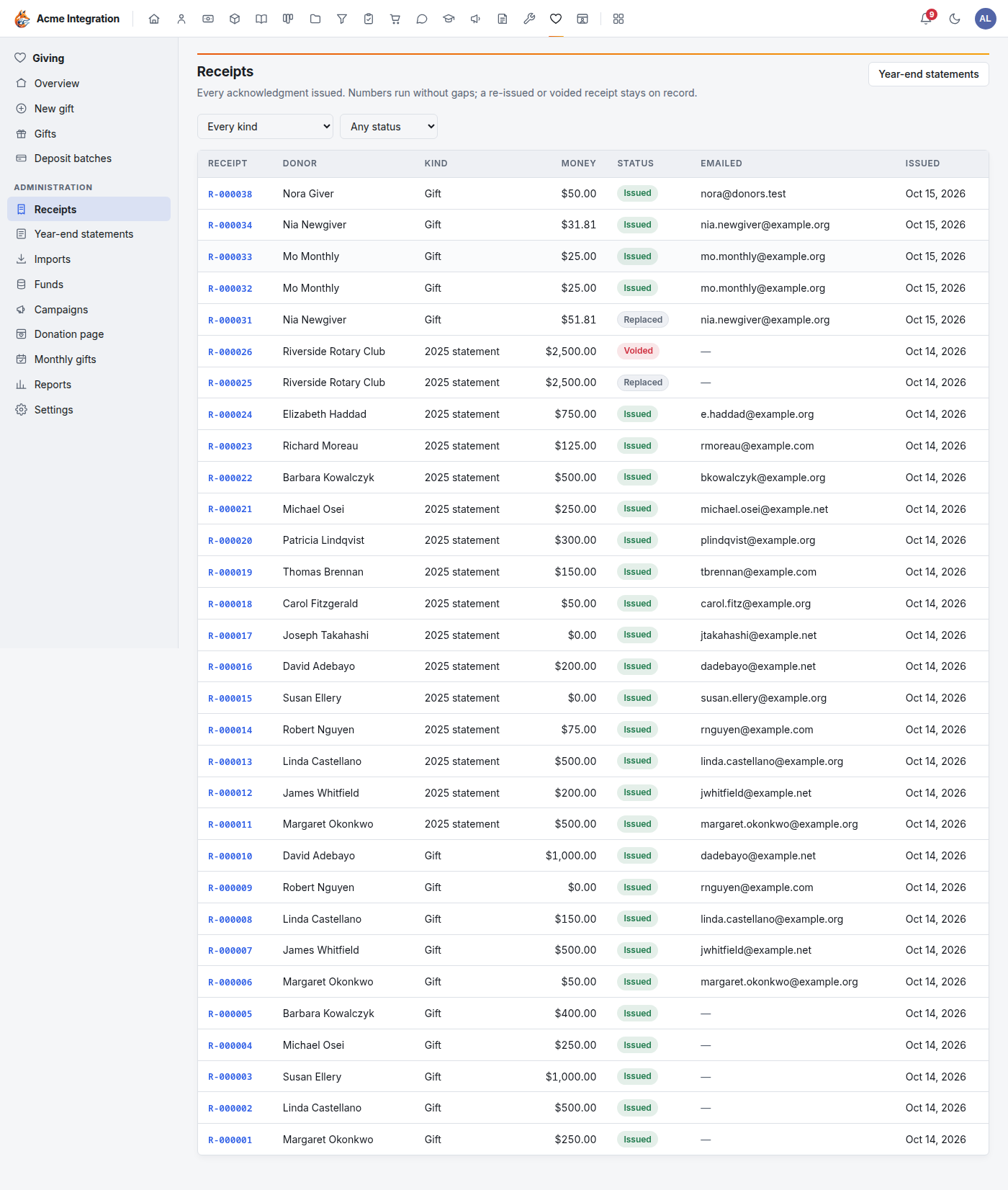
Giving → Receipts lists every acknowledgment. Filter by kind (gift or year-end statement) and status.
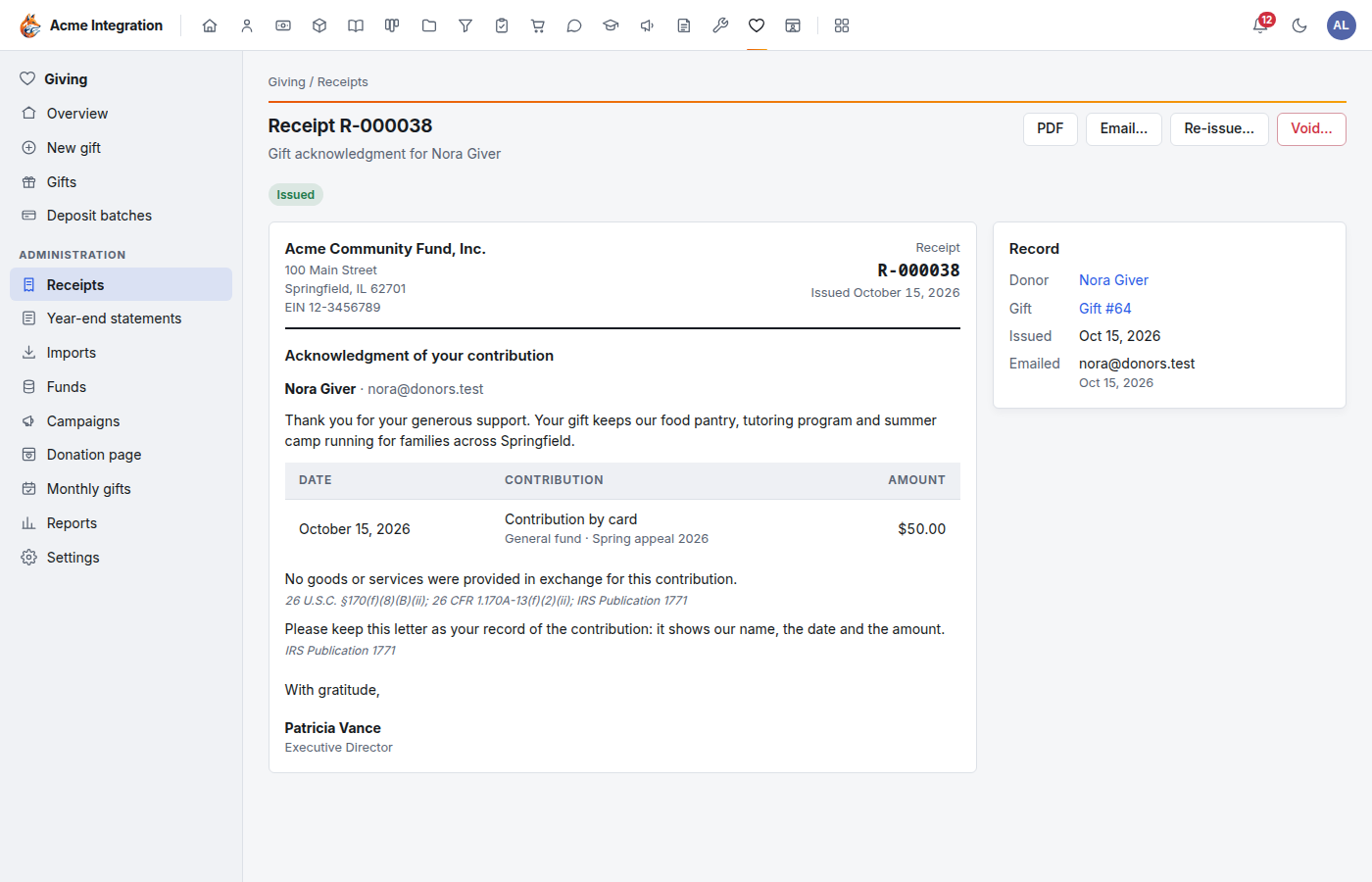
Open a receipt to see it as the donor does, with:
- PDF: download it;
- Email…: send it (again) from your organization's email;
- Re-issue…: builds a fresh receipt from the gift as it is now, under the next number, and marks this one Replaced;
- Void…: keeps the receipt on record, marked Voided, with your reason. Tell the donor if they already have it.
Both re-issuing and voiding are recorded in the audit log.
Year-end statements
One annual summary per donor may stand for several gifts of $250 or more (Publication 1771). Charities typically send acknowledgments by January 31 of the following year.
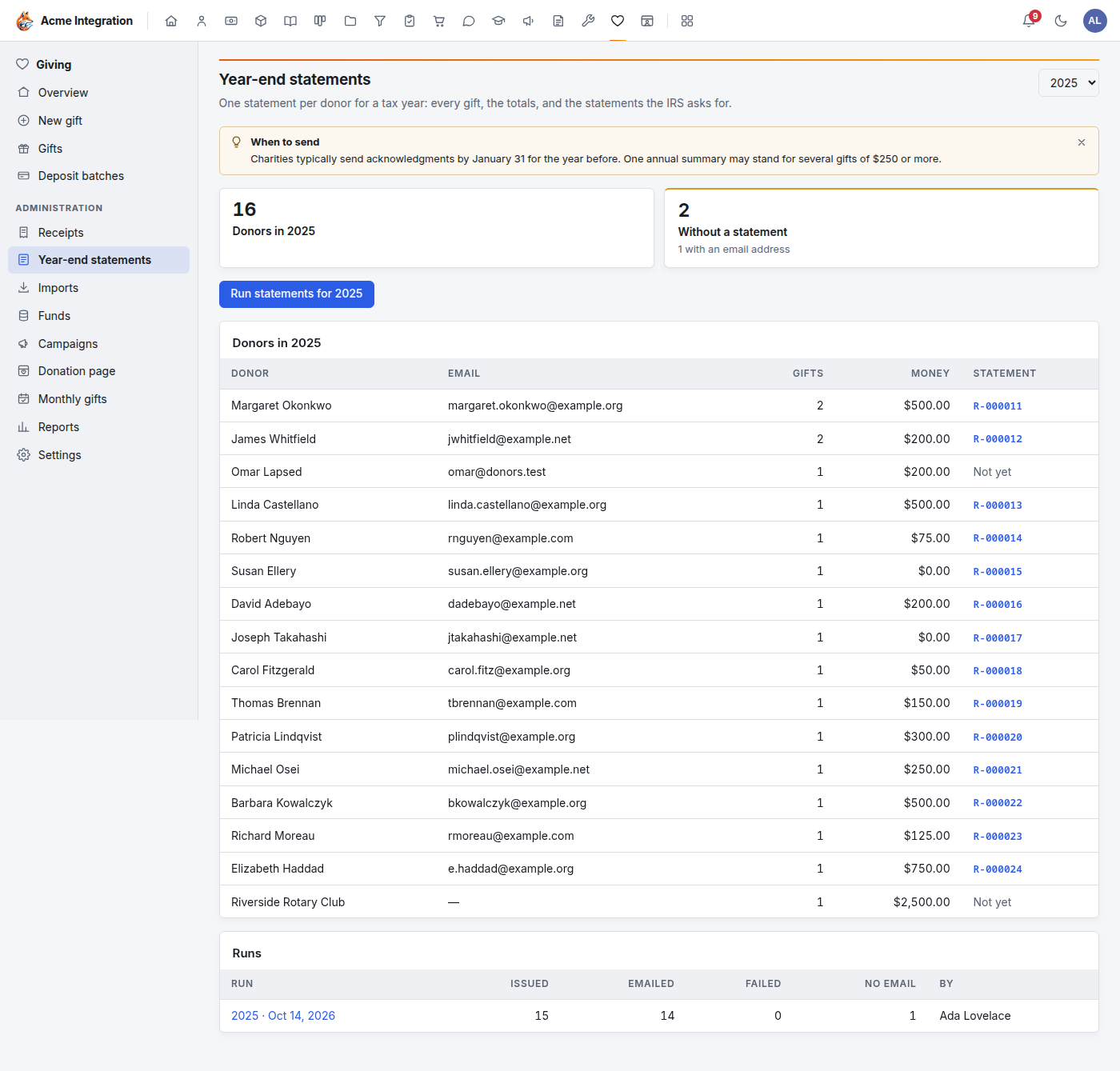
- Open Giving → Year-end statements and pick the tax year at the top right.
- The page shows how many donors gave that year and how many are Without a statement, and lists every donor with their gifts, total and statement number (or Not yet).
- Click Run statements for the year and confirm. Each donor without a statement gets one, numbered in order; the ones with an email address are emailed with the PDF, the rest are ready to download and mail. If email isn't set up, the dialog says none will be emailed.
- The run appears under Runs. Open it for the sent log: emailed, failed and why, and no email address.
Running again only reaches donors who still have no statement.
Troubleshooting
| Problem | Fix |
|---|---|
| Receipts, Year-end statements or Settings isn't in the menu | You need the Giving admin grant. |
| No Receipt… button on a gift | The gift isn't posted yet (post its deposit batch), it already has a receipt (the button then shows its number), or you have Giving entry only. |
| "issued, not emailed" | Set up Administration → Email, then use Email… on the receipt. |
| The receipt shows the wrong name or address | Fix Giving → Settings, then Re-issue… the receipt. |
| The amount on a receipt is wrong | Correct the gift, then Re-issue… its receipt. |