 foxxcyber/docs
Funds, restrictions and the ledger
Create funds with or without donor restrictions, release restricted money when its purpose is met, and see how every gift posts to the general ledger.
A fund is where gifts go. Each fund belongs to one of the two classes of net assets: without donor restrictions (money you can use for anything) or with donor restrictions (money a donor limited to a purpose or a time).
Before you start
- The organization is a nonprofit and Giving is on. See Set up giving.
- You hold the Giving admin grant or are a company administrator.
- Finance is on, so gifts post to the books. While Finance is off, postings wait and go through when it is back on.
Create a fund
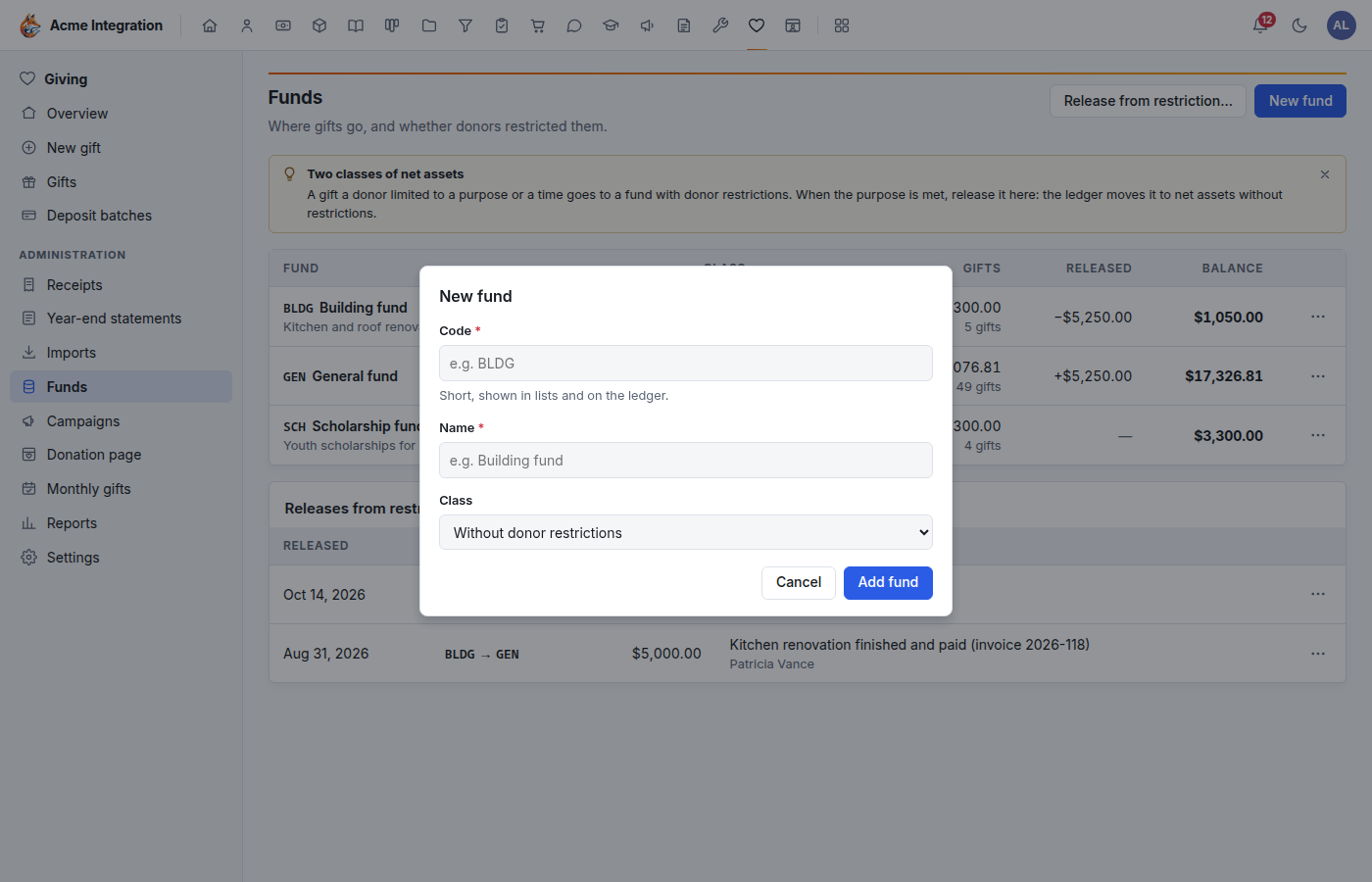
- Open Giving → Funds and click New fund.
- Code (required): short, shown in lists and on the ledger, for
example
BLDG. - Name (required), for example Building fund.
- Class: without or with donor restrictions. For a restricted fund, say what the donors limited it to in Restriction purpose.
- Save.
The Funds list shows each fund's class, the gifts it holds, what has been released, and the balance.
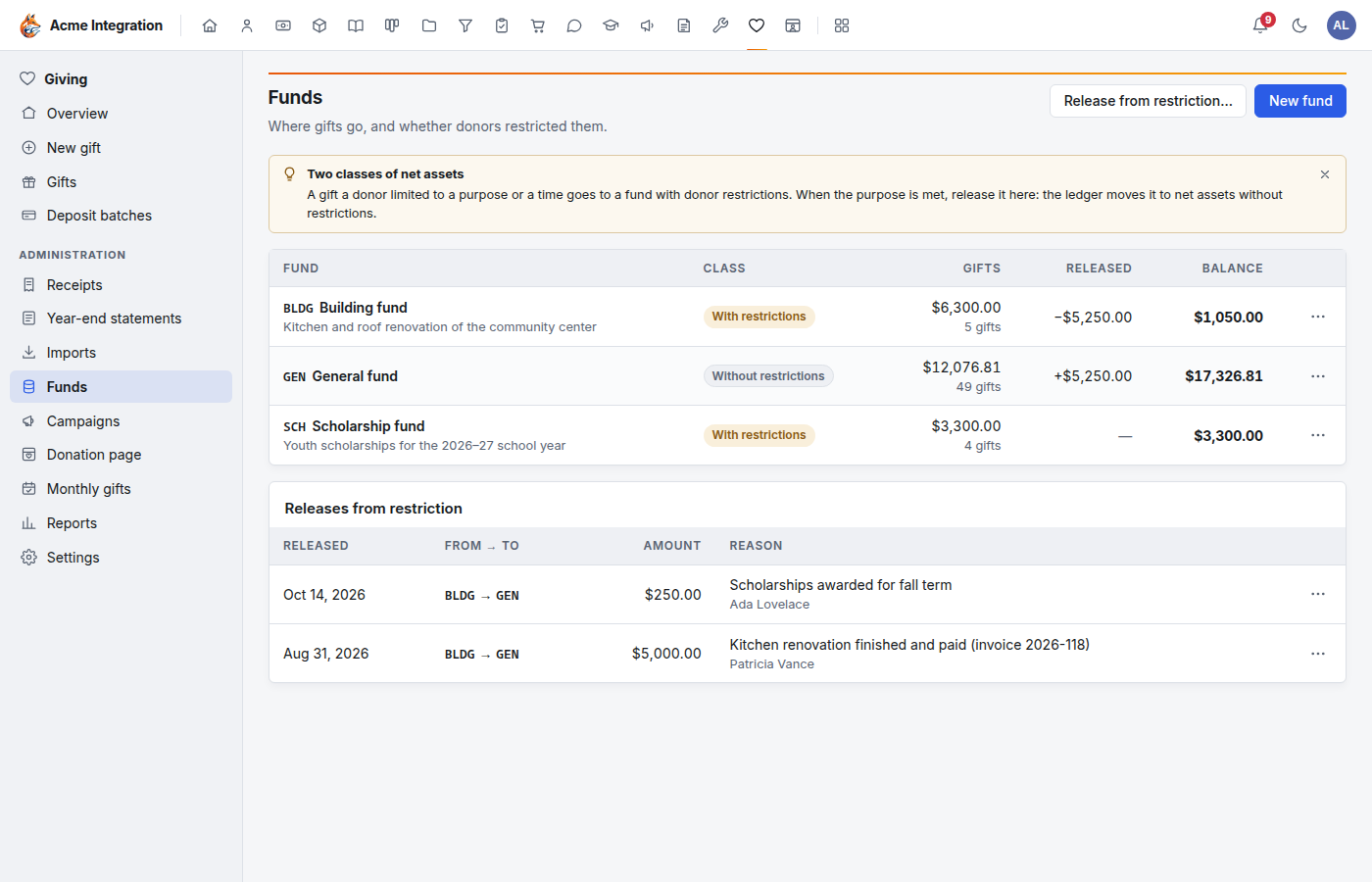
To change a fund, use ⋯ → Edit… on its row. Setting In use to Inactive: kept for history takes the fund off new gifts and off the donation page; its gifts stay. A fund that holds gifts keeps its class.
If every fund your published donation page offers becomes inactive, the page's address answers "not found" even though its editor still says Live. Tick another fund on the donation page and Publish again.
Release money from a restriction
When a restricted fund's purpose is met (the roof is replaced, the scholarships are paid), move the money to a fund without restrictions:
- On Giving → Funds, click Release from restriction….
- Pick From (restricted) and To (without restrictions), enter the Amount (USD), the date the Restriction met on, and How it was met (for example "Roof replaced, invoice 2026-118 paid").
- Click Release.
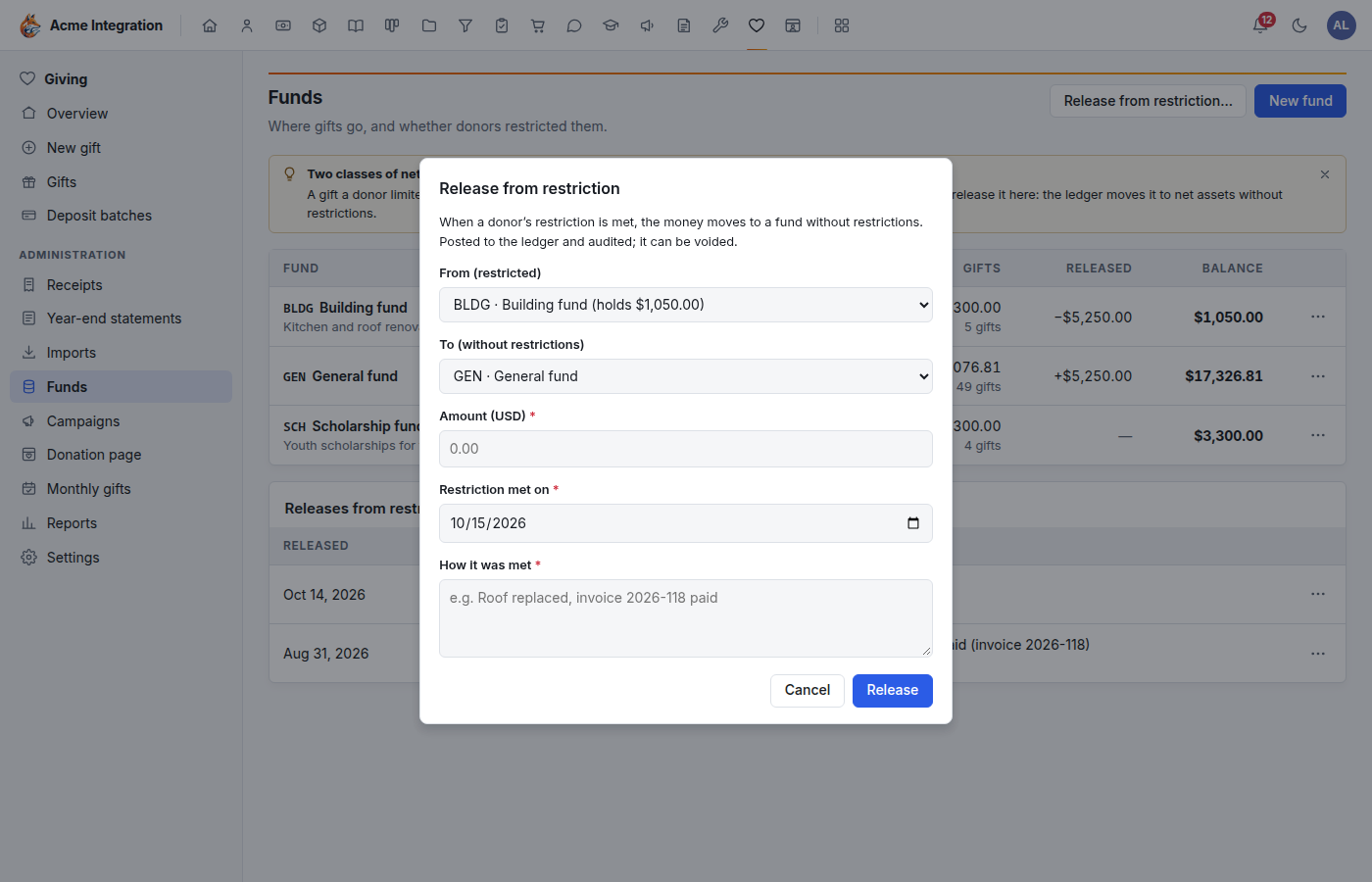
The release posts to the ledger and is audited. It appears under Releases from restriction; ⋯ → Void… reverses it with a reason.
What the nonprofit chart adds
When the organization becomes a nonprofit, its chart of accounts gains Investments (1400), Net assets without and with donor restrictions (3200, 3300), Contributions without and with donor restrictions (4200, 4210), In-kind contributions (4300), Net assets released from restriction (4400) and Donated goods and services (6950). No existing account is renamed or removed; a number you already use moves to the next free one.
How gifts post
Every gift posts itself, with the fund on each line. Ledger memos name the gift's number, never the donor.
| Gift | Debit | Credit |
|---|---|---|
| Cash, check, bank, card, online, donor-advised fund | Undeposited funds | Contributions, by the fund's class |
| Given by card on the donation page, or imported from Stripe | Stripe clearing (fee: Merchant fees) | Contributions (fee: Stripe clearing) |
| Given with PayPal on the donation page, or imported from PayPal | PayPal clearing (fee: Merchant fees) | Contributions (fee: PayPal clearing) |
| A donation refunded in full | Merchant fees (the fee the provider kept) | Stripe or PayPal clearing |
| Securities, with a value you entered | Investments | Contributions |
| In-kind, with a value you entered | Donated goods and services | In-kind contributions |
| A posted deposit batch | Bank | Undeposited funds |
| A release from restriction | Released from restriction (restricted fund) | Released from restriction (receiving fund) |
A void or an edit reverses the old posting. Stripe clearing and PayPal clearing hold what each provider owes you until a transfer reaches your bank; record that transfer in Finance when it arrives. See Finance.
Troubleshooting
| Problem | Fix |
|---|---|
| Funds isn't in the Giving menu | You need the Giving admin grant. |
| A fund is missing from the gift form or the donation page | It is inactive. ⋯ → Edit… and set it back to active. |
| Release from restriction… has nothing to pick | You need at least one fund with restrictions and one without. |
| Gifts don't show in the ledger | Finance is off (Administration → Modules); postings wait until it is on. |